


How to Make a Soccer Highlight Video That Coaches Trust

Your defender just played a full 70 minutes, won the ball again and again, and never touched the scoresheet. The clip on your phone is a goal from a different game, set to music, with no jersey in frame. A coach who opens that file still can't name the position, the role, or a single habit off the ball.
That's the core task when you learn how to make a soccer highlight video. The file has to prove who the player is, whether they can compete at the level you're asking about, and what they do when they don't have the ball.
What a Recruiting Reel Must Prove
Build against a spec before you cut anything. A recruiting reel is a proof document, not a trailer. Coaches decide early whether the player is identifiable, competitive at the level in question, and useful without the ball.
Element | Target | Why It Matters |
|---|---|---|
Total length | 3-6 minutes | Longer reels dilute attention and make evaluation harder |
Field-player clips | About 20-25 | Enough variety for a coach to judge the player |
Primary orientation | Landscape | Matches how coaches review on laptops and TVs |
Opening identification card | Name, age group, position, team, contact | Coaches know who they are watching within seconds |
Lead-in before each action | Player visible before possession | Shows scanning, positioning and first movement |
Follow-through after each action | Player visible immediately after | Shows whether the decision produced a useful result |
Clip labels | Position, opponent, date, clip number | Lets coaches timestamp and compare clips |
Shorter social cut | Cut from the same selected clips | Built for phone sharing, not for full evaluation |
The wide format is the master because review happens on a laptop or a TV. The opening identification card puts name, age group, position, team, and contact on screen before the first touch. Every clip keeps the player visible before possession and immediately after, so scanning and the result of the decision are both in frame. Labels carry position, opponent, date, and clip number so a coach can compare sequences without guessing the game.
The social cut is a phone file made from those same clips. It isn't a second evaluation. Defenders, midfielders, and goalkeepers hit the same length with different actions, not with a longer montage. Families mapping the next step can read how to get scouted for soccer while the reel is still a draft.
Could a coach who has never seen this player name the position, the role, and one habit within the first 30 seconds? If not, fix the card or the opening clips before you add anything else.
Capture Footage That Gives You Options
Editing can't invent a view you never recorded. Start with a full match, not a pile of isolated touches.
Set the camera before kickoff
Put the camera on a tripod near midfield, as high as you can safely get it, in horizontal orientation. Keep both teams in frame and stop zooming in and out. A wide, steady picture is the tactical view a coach can read. The Hudl soccer guidebook is built on that habit: record continuously through each half, including disputed calls, so the sequence around a decision is still there when you edit.
Pause now and then on the scoreboard, jersey numbers, and referee signals. Those frames make a clip easy to timestamp and verify later. If a parent or teammate is filming, hand them a one-page checklist before kickoff: tripod, horizontal framing, midfield height, no hunting zoom, both teams in frame, scoreboard every few minutes.
A phone is fine when it's locked to a tripod, held horizontally, and left at one height. Handheld pans and vertical clips throw away the picture you'll wish you had. Steady framing and usable sound are part of the same setup. The production advice from Isolate Audio is a practical check on levels, framing, and file habits before you store a whole season.
What belongs in the raw folder
Prioritize match footage over training. A stylized session shows a skill in isolation. It doesn't show a decision against an opponent who is trying to stop it. Across the season, keep games against different opponents so the reel isn't one soft fixture repeated.
Save every raw file with the date, the opponent, and the player's position in the filename. Don't rename later from memory. You want a folder you can search, not a camera roll you have to scrub.
A contested call is often the clip that shows positioning. If you stopped recording when the whistle went, that sequence is gone.
How to Log and Select the Right Moments
Don't cut on the first watch. Log the match, then choose.
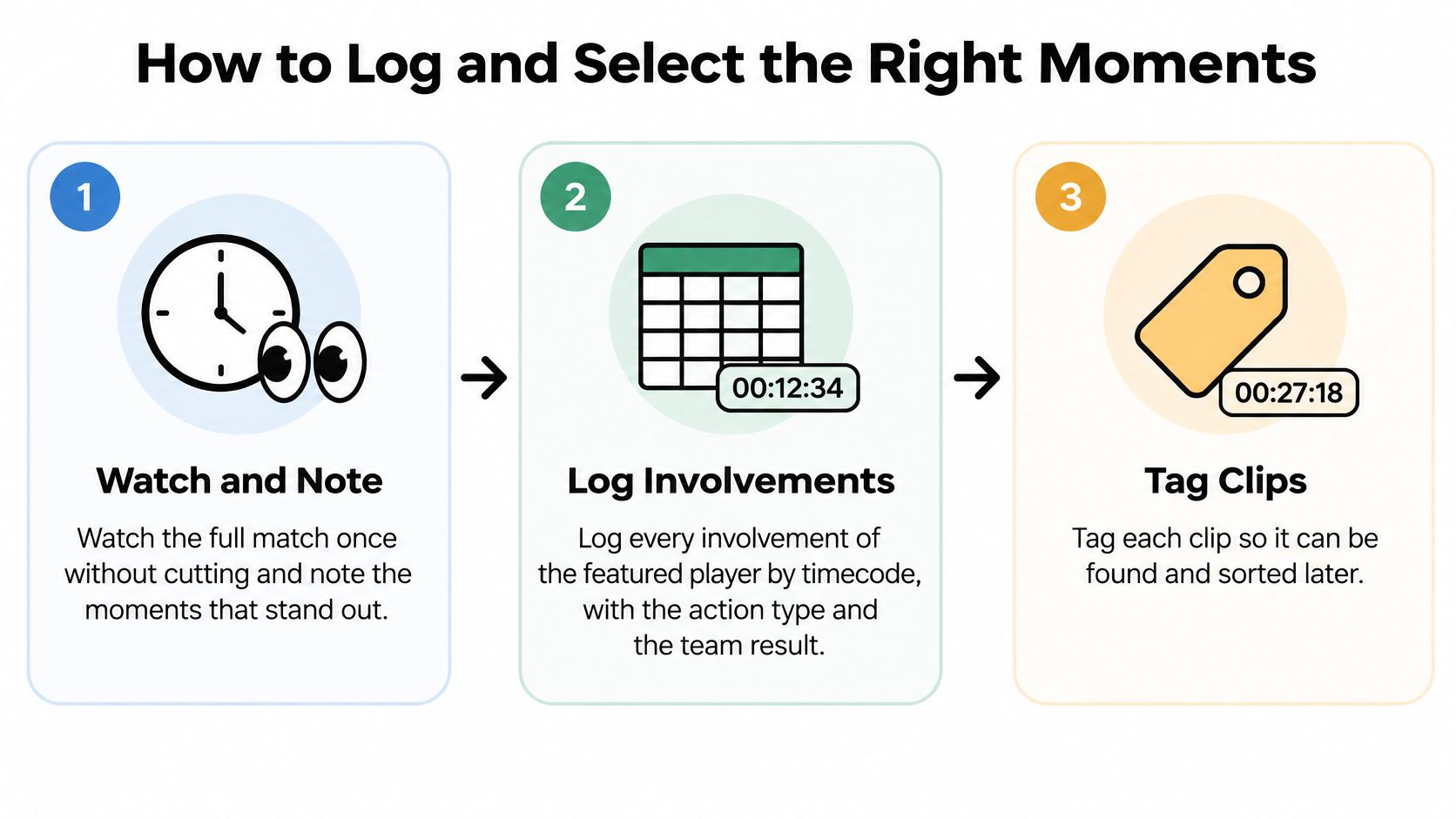
Watch once. Play the full match without cutting and note only the moments that stand out.
Log every involvement. Write the timecode, the action type, and what the team got out of it.
Tag the decision. Mark scanning before receiving, off-ball movement, a pressing trigger, defensive recovery, combination play, or the outcome.
Drop empty touches. A routine pass in a settled phase shows a touch, not a choice. Cut it.
Check the frame. The player should be visible before possession, during the action, and right after.
Rank by clarity. A readable decision beats a spectacular blur. If you can't see the choice, the clip fails.
Trim to the spec. Stop when the reel matches the length and field-player count you already set. More clips don't help.
Order for a busy viewer. Put the strongest, most representative clips first, and mix attacking work with defensive work instead of saving defending for the end.
Judgement calls after the log
A goal clip shows the movement before the ball arrives, the decisive action, and the immediate result. The final touch alone doesn't. Use the same rule for a tackle, a press, a pass, and a save. Save slow motion for one technical detail, such as a clean first touch or body shape. If two clips show the same skill, I would keep the one with the clearer picture of teammates and opponents.
Context is what makes a clip reviewable. During the 2018 World Cup, video review systems examined 335 potentially important incidents across 48 group-stage matches, and Boston.com's report on those FIFA reviews noted decision accuracy moved from 95% without video assistance to 99.3% with it. Youth film isn't a referee review. The lesson still holds: show the action so someone else can judge it, and throw out footage that doesn't serve that judgement.
Mark the player when the jersey is hard to follow. A short look at how a freeze frame or a simple marker works:
If you later turn the master into shorter posts, this repurposing guide for busy solopreneurs is a sane way to reuse one set of clips without reshooting. Put the same habits in a written soccer player evaluation so the film and the notes describe one player, not two different stories.
Showing Each Position's Strengths Clearly
Goals and assists hide defenders, midfielders, and goalkeepers. A reel built only from finishes tells a coach almost nothing about line control, scanning, or a goalkeeper's starting position. The player can be excellent and still look empty on film.
NCSA's recruiting-video guidance pushes full-field context, receiving actions, first touch, and clips against varied opponents. Coaches need positioning, movement before the ball arrives, and what happens immediately after the action. A reel with fewer spectacular plays and more complete, labeled sequences usually communicates readiness better than a highlight-only montage.
Position | Show These Actions | Avoid |
|---|---|---|
Center back | Defensive line management, progressive distribution, recovery after duels | Tackle-only clips with no build-up or outcome |
Full back | Overlapping runs, recovery runs, crossing decisions | Isolated crosses with no context |
Central midfielder | Scanning before receiving, support angles, defensive transition | Long-range shots as the main evidence |
Winger | Off-ball runs, pressing triggers, one-versus-one decisions with the result | Solo dribbles with no team outcome |
Striker | Movement before receiving, first touch under pressure, finishing after build-up | Goals with no lead-in |
Goalkeeper | Starting position, communication, decision-making, distribution | Saves shown without the shot's build-up |
What a single clip has to contain
A center back clip should show the line, the duel or the interception, and the first pass after the ball is won. A striker clip should show the run before the pass and the first touch under pressure, then the finish if there is one. A central midfielder who only appears on a shot from distance looks like a finisher who rarely gets the ball. A winger who only dribbles never shows the press or the run that created the space.
For each clip, keep a short lead-in, a visible marker when the shirt blends into the pack, and enough follow-through to show whether the choice helped the team. Pick two or three actions from the row that matches the player's position and build the reel around those. Repeat them across opponents. One brilliant moment doesn't prove a habit.
If the best clip still needs a parent to explain it, it isn't ready. The picture has to carry the decision.
Editing and Formatting for Coaches and Social Feeds
Make one wide master for coaches, then a vertical cut-down from the same selected clips. Don't edit two different arguments.
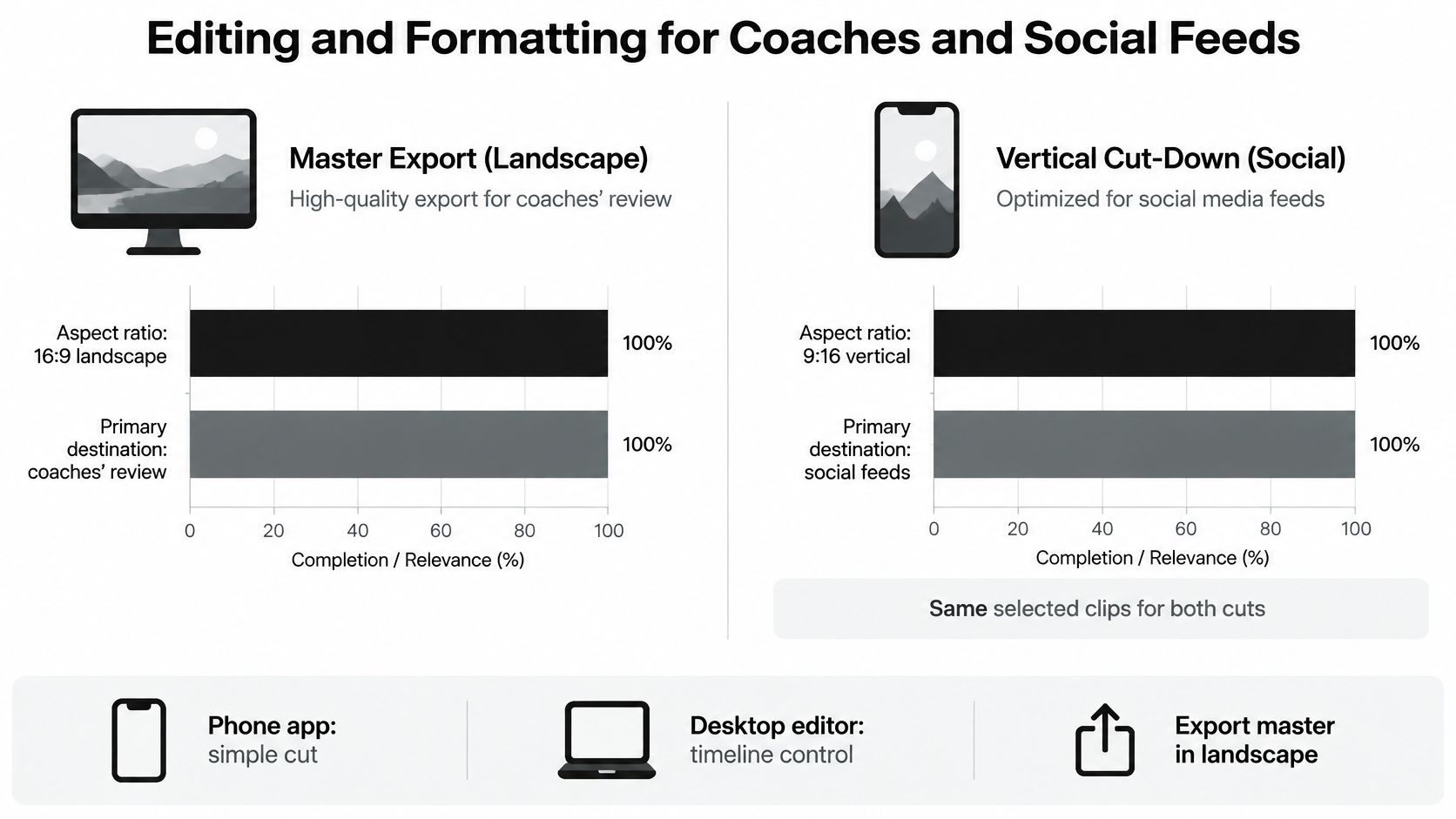
Build the master first
Use a phone app when the cut is simple. Use a desktop editor when you need timeline control, labels, and a clean export. iMovie or CapCut will finish a straightforward reel. DaVinci Resolve is the better choice once you're stacking labels and matching clip lengths. Export the master at the highest resolution the original footage supports. Upscaling a soft phone file doesn't help.
Open with the identification card, then go straight into the strongest representative action. Keep graphics thin. A position and opponent label is enough when it helps the coach follow the sequence. Leave game sound audible and keep music low, and only use music you have a license for. Replay a difficult action from a useful angle. Don't replay an ordinary pass. Add minutes played, a tournament name, or a measurable result only when you can point to where that fact came from.
In a 2020 YouGov survey, the United States had an estimated 75 million sports-highlight consumers. 53% regularly watched sports highlights on YouTube, 45% on Facebook, 30% on Instagram, and 16% on Snapchat. That same survey found 53% of viewers wanted multiple camera angles, slow motion, and zoom, while 33% preferred statistics and factual information. Use the second pair sparingly. One useful replay beats a stack of zooms, and an unverified number on screen hurts more than a blank frame.
Platform | Regular Viewers |
|---|---|
YouTube | 53% |
45% | |
30% | |
Snapchat | 16% |
Cut the vertical file without a new story
Reframe the same clips to vertical. Keep the identification card and the strongest action in the first seconds, then export a copy for each platform the family uses. The social open still has to earn attention. These hook ideas from Social Media Scheduler belong on the phone cut, not on the file a coach is grading. Balance attacking clips with defensive work, off-ball movement, and teamwork so the video shows development rather than a string of isolated moments.
Confirm the Reel Before You Send It
Don't send the link the night you finish the export. A bad open wastes the only careful look some coaches will give.
Check the card. Name, jersey number, age group, position, and contact details must match the player on screen.
Check every clip. The player is identifiable, the lead-in is there, the follow-through is there, and the on-screen label matches the game you named.
Watch it twice. Once on a laptop, once on a phone. If either file stalls, crops the player out, or starts on the wrong clip, fix the export.
Verify every fact. Minutes, tournament names, and results stay only if you can name the source. Delete the rest.
Test the link logged out. Set a privacy level the family accepts, then open the link without signing in. A login wall is a dead end.
Write the cover note. Name the games, the position, and the two or three clips to watch first. Don't attach a huge file.
A link a coach can't open is the same as no film.
Keep the master and the raw footage, with dates and opponents still in the filenames, so next season is an update instead of a rebuild. If you want the film looked at in person, JC Sports Houston is our video analysis location, and it's also a performance and fitness location. Film is one part of how to get recruited for college soccer. Send the note with the link, then stop editing.
Villarreal Houston Academy trains boys and girls from age 4 in select and competitive soccer that treats decision-making, skill, and character as the work, not a montage of goals. Players can develop on that path here in the Houston area and earn the chance to train and play alongside Villarreal CF's academy in Spain. Visit Villarreal Houston Academy to see programs, camps, and tryouts.
Comments